

Activate SSL for a domain in Shared Hosting plans
To activate SSL for a domain in shared hosting plans, follow these steps:
1. Login to Mumatec Client Area and click on ‘Services’
2. Once you are on the services page, click on ‘Active’.
3. You’ll be redirected to the Product Details page.
4. Now, left side of the page click on ‘cPanel’ section.
5. Now, once you loggedin to the cPanel, click ‘SSL/TLS Status’ at the right side under the Primary domain.
8. Now, select all the domains then click on ‘Run AutoSSL’
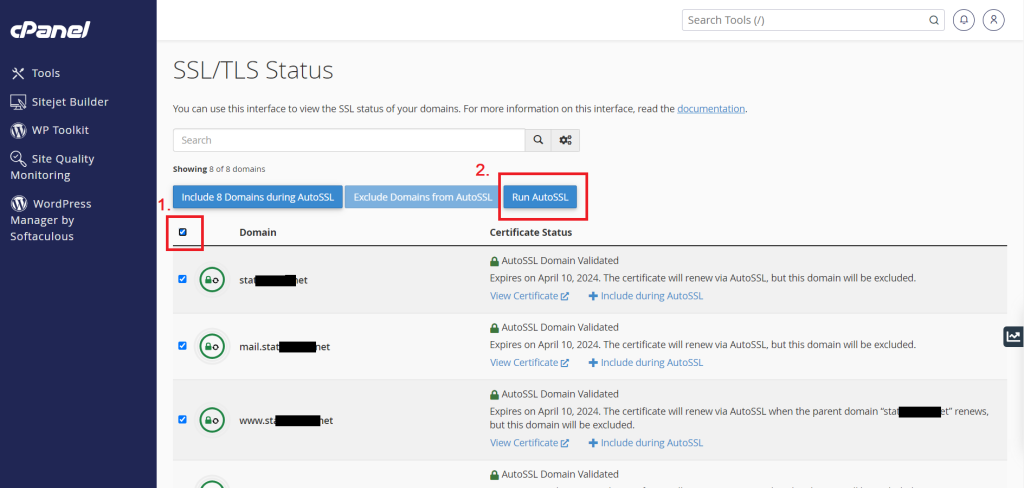
After a few minutes or seconds, the free SSL will be activated on your website.